
The DJ Intelligence tools are easily integrated into WordPress. Use the following methods illustrated with Classic WordPress editor:
1) Link to your DJ Intelligence tools in your site's navigation or by using buttons. For example, you can link to the Client Login tool using a button or link in your navigation to demo.djintelligence.com/client/ (where "demo" is the name of your account).
2) Embed the DJ Intelligence tools onto your pages or posts. Change to the "text" view to insert code from our Code Builder section (under Tools & Resources > Integrate Tools)
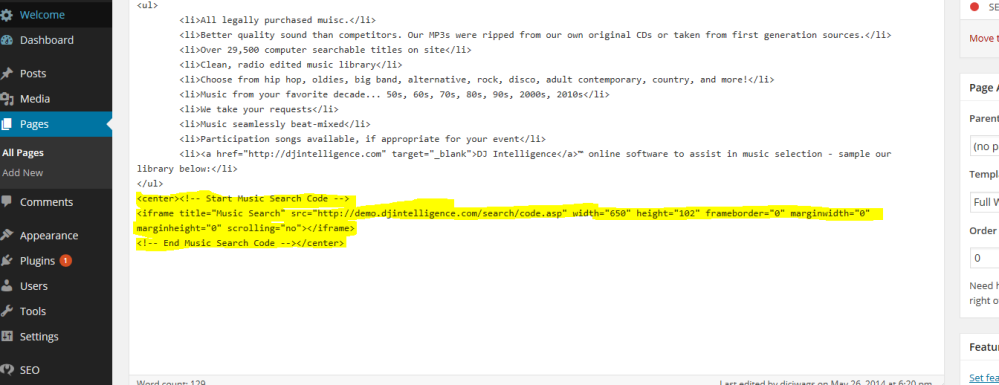
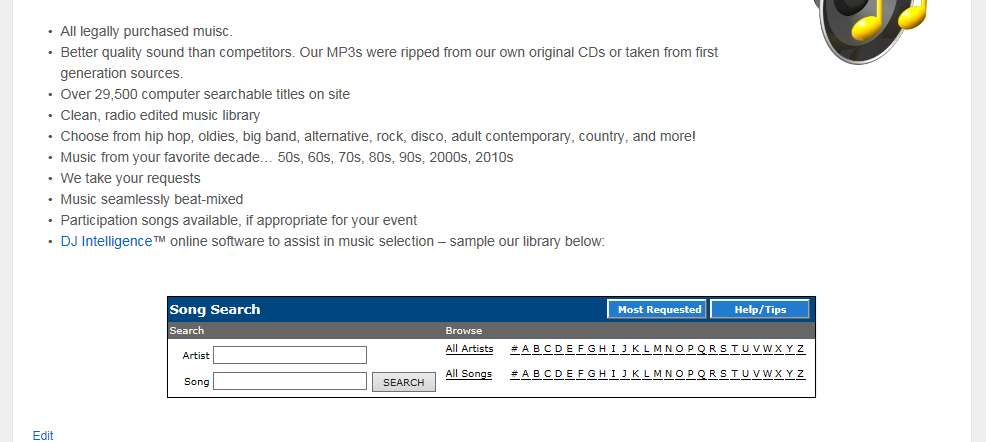
The above code is for the Music Search tool and looks like the following on a website:
The Availability Check also fits nicely in widgets as illustrated in the WordPress site below:

Please feel free to contact us for further explanation, clarification, or assistance.
Comments
0 comments
Article is closed for comments.